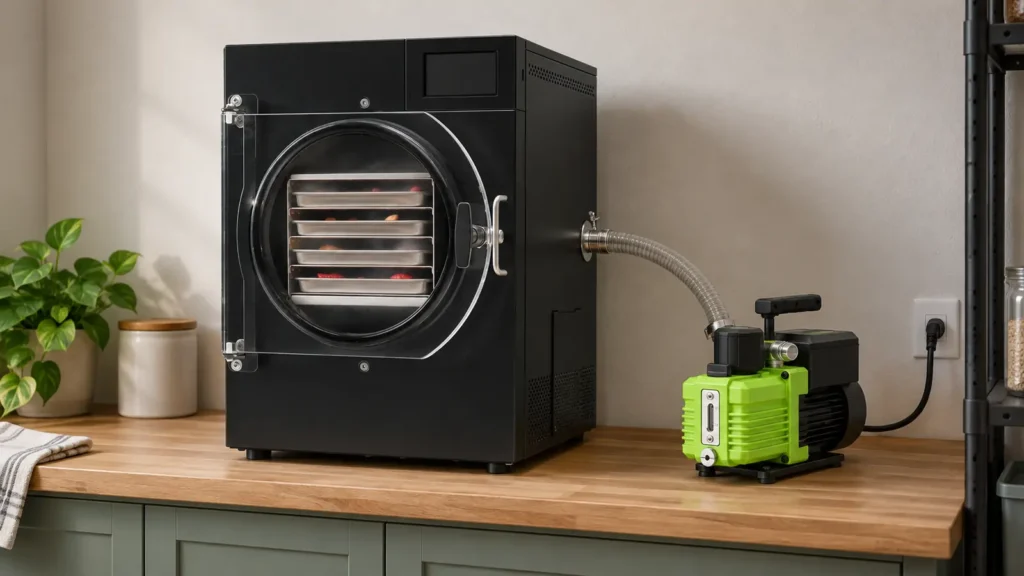
Most freeze dryer trouble comes down to the same few causes, based on manufacturer support material: a vacuum leak, pump oil, overloaded or uneven trays, room conditions, or skipped defrosting. Start with the simplest check and work your way down.
Jump to your symptom: Vacuum error · Food still wet · Cloudy or low pump oil · Slow freezing · Defrost problems · Food gets soft after the batch · Error messages · When to call
On this page
- Quick Picks: Pump Oil, Filters & Sealing Maintenance
- Problem 1: Vacuum errors / won’t pull or hold vacuum
- Problem 2: Food still wet / not fully dry
- Problem 3: Pump oil cloudy, milky, or low
- Problem 4: Slow freezing / long cycles
- Problem 5: Defrost issues
- Problem 6: Food reabsorbs moisture after the batch
- Errors the manuals name
- When to call the manufacturer
- Prevention beats repair
- FAQ
- Sources (checked October 26, 2026)
Quick Picks: Pump Oil, Filters & Sealing Maintenance
Vacuum Health
Food-Grade Vacuum Pump Oil — Fresh high-viscosity oil restores deep vacuum pull when moisture clouds standard pump oil.
Clean Exhaust
Replacement Oil Mist Filter — Captures oil vapor inside standard rotary vane exhaust ports to keep utility rooms clean.
Faster Oil Swaps
Compact Oil Drain Pan — Fits cleanly under tabletop pump drain valves for mess-free oil filtering and seasonal changes.
Cycle & Heater Check
Plug-In Energy Monitor — Reads live wattage draw during freeze, vacuum, and dry cycles to verify heater and pump operation.
Estimate cycle power costs with the Freeze-Drying Cost Calculator or browse tested replacement supplies in our Freeze Dryer Accessories Guide (affiliate disclosure).
Problem 1: Vacuum errors / won’t pull or hold vacuum
What it looks like: The cycle stalls or shows a vacuum error, and the pressure reading stays high. Harvest Right’s “Before you start” checklist and Stay Fresh’s user manual both focus on the door seal and gasket, the drain valve and pump oil. Error messages and codes differ by brand, model and software version, so look up the exact message in your owner’s manual or on the manufacturer’s support page rather than relying on a generic list.
Check in this order:
- Drain valve fully closed. Harvest Right: the handle should be perpendicular to the tube. An open drain valve causes a vacuum leak and can damage the pump.
- Door gasket seated and clean. You should see a thin line in the middle of the gasket where it presses against the acrylic door. Clean it with warm water and let it air dry, because lint from a cloth can break the seal. Make sure the shelf unit isn’t pressing on the gasket.
- Door fully latched. Harvest Right describes two stages: stage 1 latches, and stage 2 compresses the door. Turn the handle as far as it goes without excessive force.
- Hose and fittings. Check that the vacuum hose is fully seated and the fittings are tight. (Blue Alpine specifically markets barbed fittings and gasket-sealed threads as leak prevention.)
- Pump oil. Check that the level is right and the oil is clear (see Problem 3).
- Gas ballast (HR Premier pump): it should be open.
- Drain hose not submerged. If the hose sits in water and the valve opens, water can be pulled back into the chamber.
- Contact support if the checks above don’t fix it. If your manual describes a vacuum test, follow its conditions: Stay Fresh’s 5/7-Shelf manual says to run its roughly 2-hour vacuum test only if customer service asks you to, after working through its vacuum checklist. Harvest Right asks owners to send the machine’s log files on a thumb drive so its technicians can review them.
If the pump won’t start at all, contact the manufacturer. To avoid problems after storage, Harvest Right says to drain and refill the oil before storing a pump, because dirty oil left inside corrodes internal parts.
Problem 2: Food still wet / not fully dry
Signs: Cold or damp spots in the center of thick pieces. LSU AgCenter notes that dark spots in the middle of the product indicate moisture.
Common causes and fixes:
- Overloaded or stacked trays. Use a single, thin layer, and don’t exceed the tray rim. Harvest Right warns that overloading extends batch time and adds pump wear.
- Uneven pieces. Cut uniformly, and group foods with similar drying times (Penn State Extension).
- Intact skins. Halve or poke berries and grapes.
- High-sugar or high-fat foods. These may never fully dry. See How to Freeze Dry Common Foods: Prep, Tray Loading, Foods to Avoid & Storage (2026).
- Ice capacity exceeded. Dense, wet loads can overwhelm the condenser. Stay Fresh’s user manual lists maximum ice capacity as 14 lb for the 5-Shelf and 12 lb for the 7-Shelf, and warns about very wet loads on the 7-Shelf.
- Stages skipped. Don’t manually advance stages, and always let the machine’s freeze stage run, even with pre-frozen food (Harvest Right).
- Fix: Add extra dry time using your machine’s option, then re-check. Don’t re-dry food that has sat out in humid air for days, because it may already be unsafe (LSU AgCenter).
Problem 3: Pump oil cloudy, milky, or low
- Cloudy or milky oil usually means it has absorbed water. Change it when it looks cloudy, even if you haven’t reached the usual interval (Blue Alpine).
- Intervals: HR Premier 20–30 batches, HR Standard 4–5, Blue Alpine about every 5–10 cycles in its FAQ (every 4–5 batches in its Rev 3 manual), Stay Fresh Premier filter every 5 batches, Stay Fresh Commercial change every 30 batches or 1,000 hours (per the 5/7-Shelf manual).
- Level: Fill to the sight-glass level your pump manual specifies. Overfilling can saturate the demister (Harvest Right).
- Oil mist or smell: Blue Alpine recommends using a 3-stage mist filter to reduce oil mist.
- Oil-free pumps don’t need oil changes. See Oil vs Oil-Free Freeze Dryer Pumps (2026): Cost, Maintenance & Which to Choose.
Harvest Right pump oil → · Shop vacuum pump oil on Amazon → · Shop vacuum pump oil mist filters on Amazon →
Problem 4: Slow freezing / long cycles
- Room too warm. Harvest Right says 50–75°F is ideal, the warranty requires 35–90°F, and you shouldn’t run above 105°F.
- Blocked or dirty vents and condenser coils. Keep the side vents clear and clean the coils. Clogged coils extend freeze time and shorten refrigeration life (Harvest Right).
- Boxed in. Don’t put the machine in a cabinet or corner. Blue Alpine’s FAQ says to allow at least 6 inches on each side; its Rev 3 manual says at least 1 ft on all sides.
- Humidity and dust clog components (Harvest Right).
Problem 5: Defrost issues
- Defrost between every batch (Harvest Right). The chamber must be free of ice and water before the next run. The exception is Harvest Right’s Candy Mode “Start New Candy Batch.”
- Don’t use a blow dryer or other external heating device to defrost. Harvest Right says it can trigger the thermal cutoff and cause batch errors.
- Drain hose should drop vertically into a bucket, which is why HR recommends placing the unit at least 3 ft high, and it should never sit submerged.
- Clean the drain line regularly (Harvest Right). Extension guidance calls for a thorough sanitation routine on freeze-drying equipment (UMN Extension).
- Dry the chamber completely before starting again.
Problem 6: Food reabsorbs moisture after the batch
- Remove trays while they’re still warm. Use Warm Trays if they’ve cooled (Harvest Right).
- Package immediately in mylar with fresh oxygen absorbers, and seal with an impulse sealer.
- Store in a cool, dark, dry place (LSU AgCenter); UMN Extension recommends a cool, dry location.
Shop mylar bags on Amazon → · Shop oxygen absorbers on Amazon → · Shop impulse sealers on Amazon →
Errors the manuals name
Error messages differ by brand, model and software version. The Blue Alpine and Prep4Life owner’s manuals print the names of specific errors. The names below are copied exactly as each manual prints them, with the manual section and the matching check on this page. If your screen shows a message that isn’t listed here, look it up in your own manual or contact the manufacturer.
Blue Alpine (Owners Manual, Machine Revisions 3, document A00143, revised September 4, 2026):
| Error, as printed | Manual section | Check here |
|---|---|---|
| “vacuum pressure error” | 6.2 Preparation (drain valve not fully closed) | Problem 1 |
| “vacuum error” | 12.2 Chamber Pressure Not Achieving Vacuum; 12.4 Door Not Sealing | Problem 1 |
| “Sensor Disconnect Error” | 12.11 Sensor Disconnect Error | When to call |
For 12.2 and 12.11, Blue Alpine’s first step is a software update: “Simply updating the software may resolve the issue.” If that doesn’t fix a Sensor Disconnect Error, the manual says the unit will likely need a power board with updated grounding and/or a new digital board. Blue Alpine’s troubleshooting chapter says to contact its customer support if you can’t find a solution.
Prep4Life, The Cube (Owner’s Manual V4-1 (PDF), “Error Messages” section, page 20). The Cube is no longer sold; its maker’s store is offline. These checks are for owners who already have one:
| Error, as printed | Manual section | Check here |
|---|---|---|
| “Vacuum error” | Error Messages, item 1 | Problem 1 |
| “Overheat Error” | Error Messages, item 2 | When to call |
| “Unable to achieve necessary temperature error” | Error Messages, item 3 | When to call |
The manual asks: “If you get an error message please take a photo of it to help tech support if you call them.” For the overheat error, it says to remove the food and power down the freeze dryer, then contact Prep4Life technical support if the problem persists. For the temperature error during the Deep Freezing Stage, it says to remove the food, let the machine defrost and dry out the chamber, run the manual’s initial test, and contact support if the problem persists.
Harvest Right: The owner’s manual notes that leaks make the freeze dryer report a vacuum error (see Problem 1), but it doesn’t print a list of error names. It says the system monitors cooling, vacuum and heating, and if it “detects a problem, it will provide information to help you resolve the issue.” If that doesn’t solve it, use Harvest Right’s customer support page, which sorts problems into categories, or call 801-386-8960.
Stay Fresh: For an error message, check your Stay Fresh user manual and call Stay Fresh support at 424-420-7534.
When to call the manufacturer
Call if:
- The pump won’t run, or there’s a refrigeration fault (compressor, condenser, evaporator). On Harvest Right units, years 2–3 of the warranty cover the sealed refrigeration system.
- Vacuum errors continue after every check above.
- There’s any electrical smell, tripped breaker, or visible damage.
Before you call, have your serial number, purchase or ship date, software version, and batch logs or readings ready. Harvest Right’s warranty also asks owners to keep proof of purchase.
Support contacts: Harvest Right support 801-386-8960 (support page linked below) · Blue Alpine 208-607-1722 · Stay Fresh 424-420-7534 · Prep4Life (800) 738-8618 (the number listed in The Cube manual; The Cube is no longer sold, and its maker’s store is offline)
Prevention beats repair
Regular maintenance addresses several of the causes above (pump oil, door gasket, drain line, vents). See our Freeze Dryer Maintenance Schedule: Every Batch, Monthly & Yearly Checklist schedule, and if you’re new, the Your First Freeze Dryer Run: Delivery, Setup & First Batch Checklist setup guide.
FAQ
Why does my freeze dryer keep losing vacuum?
The most common causes are an open drain valve, a dirty or misaligned door gasket, loose hose fittings, and dirty pump oil. Check them in that order.
Can I fix a freeze dryer myself?
User maintenance, like gaskets, oil, and cleaning, is expected. Internal repairs should go through the manufacturer, because unauthorized service and non-approved parts can void warranties (Harvest Right).
How do I know if my vacuum pump is failing?
If the machine still can’t reach normal pressure with fresh oil, a closed drain valve and a confirmed door seal, the pump may be the problem. Run any diagnostic your manual describes, then contact support with your readings or log files.
Sources (checked October 26, 2026)
- Harvest Right – FAQs (setup, door seal, drain, loading, defrost, pump maintenance): https://harvestright.com/pages/faqs
- Harvest Right – Warranty: https://harvestright.com/pages/warranty
- Harvest Right – Customer support: https://harvestright.com/pages/customer-support
- Blue Alpine – FAQs: https://bluealpinefreezedryers.com/pages/faqs
- Blue Alpine – Medium Select (fittings): https://bluealpinefreezedryers.com/products/medium-freeze-dryer
- Stay Fresh – 7-Shelf (ice capacity warning): https://stayfreshfreezedry.com/products/stay-fresh-7-shelf-freeze-dryer-with-industrial-pump
- Harvest Right – Home Freeze Dryer Owner’s Manual (PDF): https://cdn.shopify.com/s/files/1/0882/1030/9367/files/Owners-Manual-v02122025-v2-web-comp.pdf
- Blue Alpine – Owners Manual, Machine Revisions 3 (A00143, revised September 4, 2026): https://bluealpinefreezedryers.com/owners_manual_A00143
- Prep4Life – The Cube Owner’s Manual V4-1 (PDF): https://cdn.shopify.com/s/files/1/0726/5632/2858/files/Owners_Manual_V4-1.pdf
- Stay Fresh – 5 & 7 Shelf User Manual (PDF): https://cdn.shopify.com/s/files/1/0602/5946/7415/files/StayFresh_Freeze_Dryer_5_and_7_Shelf_User_Manual.pdf
- LSU AgCenter – Freeze-drying at home FAQ: https://www.lsuagcenter.com/topics/food_health/food/safety/consumer-food-safety/freeze-drying-at-home/faq-sheet
- UMN Extension – Freeze-drying: https://extension.umn.edu/food/preparing/cooking-home/food-preservation/freeze-drying
- Penn State Extension: https://extension.psu.edu/lets-preserve-freeze-drying